
Practice, Reimagined
Sheet music has taught generations of musicians, but a printed page can only show so much. It can’t show how a passage should look under the hands, or let you slow a tricky section down, or switch to a backing track on demand.
That’s the idea behind RiFF, RSL Awards’ interactive digital sheet music player, designed to make practising more engaging, flexible and effective for both students and teachers.
What Is RiFF?
RiFF is the engine that powers all RSL Music Exam e-books, which we call the Exam e-Books. It combines interactive arrangements, video demonstrations, audio tools and smart practice features in one place, so students preparing for their next graded exam can practise with everything in one platform. If you can use a smartphone or tablet, you can use RiFF.
What Can It Do?
See how the music should be played. Where available, RiFF offers high-quality video demonstrations with multiple camera angles, including close-ups of the hands and wider performance shots. Layout adjustments and a mirror feature help left-handed players follow demonstrations more comfortably.
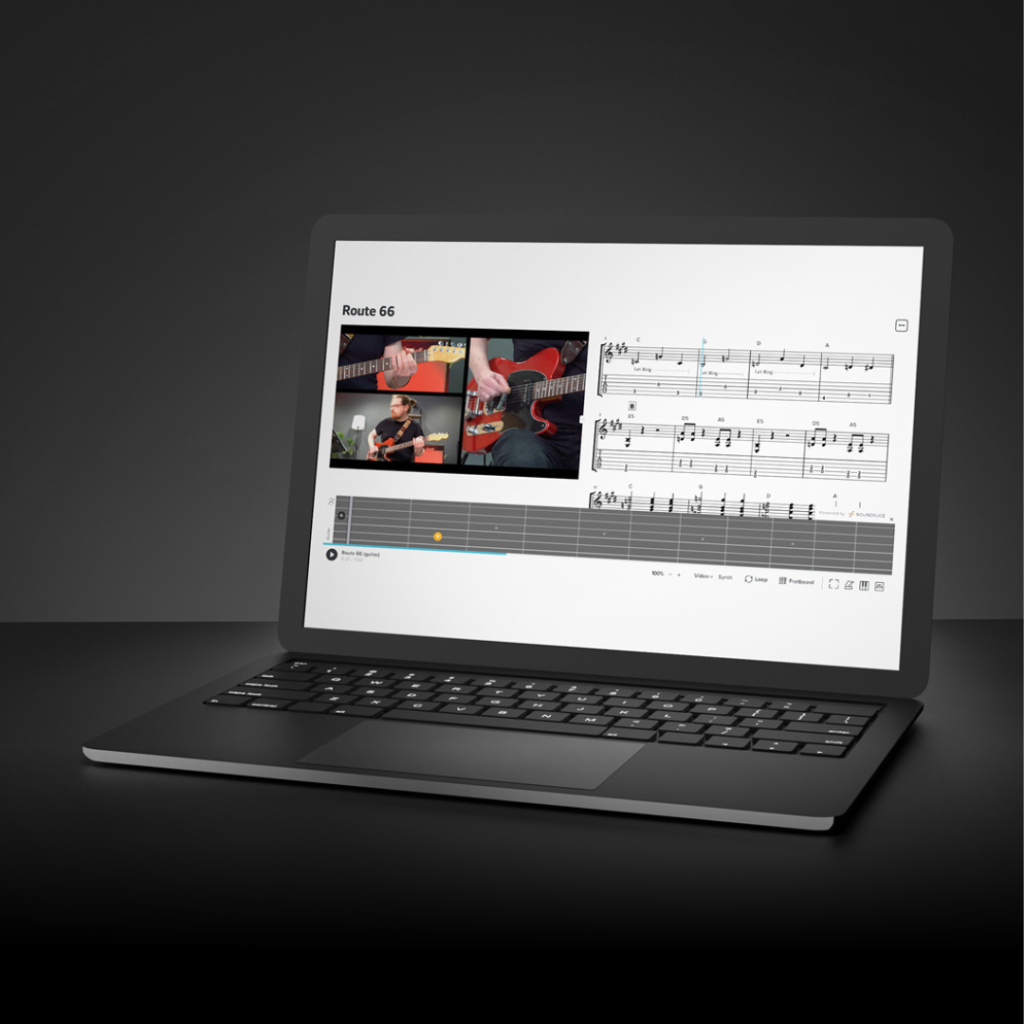
Learn the way that suits you. Students can switch between full score, TAB and chord charts, depending on their instrument, and choose between a full mix and a backing track to focus on the parts they need most.
Practise smarter. Section markers, tempo control and easy navigation make it simple to work on one passage at a time. Learning aids such as note names, solfège, rhythmic breakdowns and chord visibility can be switched on when needed and off when ready.
Watch the notes on the instrument. Real-time fretboard and keyboard views show exactly where and how notes are played.
Prepare for the real exam. Exam Mode disables the visual aids to replicate printed exam conditions, so students can practise the way they will perform on the day.
Prepare for the Real Exam
The feature parents should know about is Exam Mode. When switched on, it hides the on-screen learning aids (such as note names, chord displays and fretboard views), so that the music appears just as it would in a standard printed exam book. It’s also how the e-book is used in the actual exam, so it’s worth practising with it.
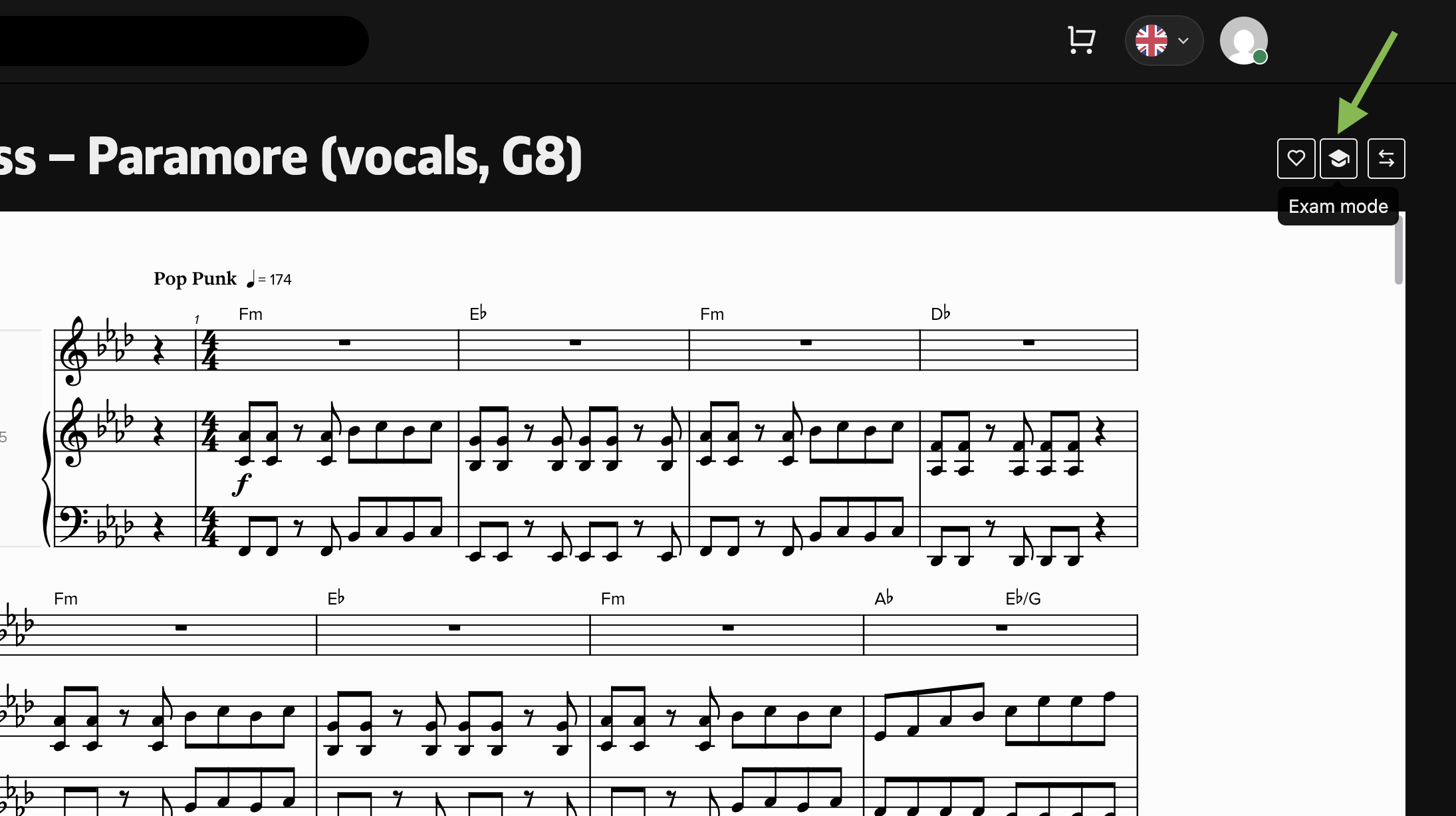
A few exam rules to remember:
- Exam Mode must be switched on before the exam begins.
- If the piece has a backing track, switch the audio from the demo mix to the backing track after turning Exam Mode on.
- Video playback must be hidden during the exam.
- Don’t change any settings or turn off Exam Mode once the exam has started.
- In face-to-face exams, the e-book can be used for performance pieces only. Technical exercises are supplied by the examiner.
Getting Started in Four Steps
- Buy your e-book from the RSL Event Center eShop at shop.rs-event.sg. Choose the correct book for your instrument and grade. If you’re unsure, the team at RSL London @ Funan can help.
- Create a free RiFF account at rslawards.com/riff, registered under the full name of the student sitting the exam, and not a parent’s or teacher’s name.
- Open your e-book from your RiFF library.
- Download the PDF and audio before practising away from Wi-Fi.
Important: the e-book must be bought with the same email address that is registered to the candidate’s RiFF account. This will be verified during the exam.
For the full walkthrough, read the step-by-step guide on RSL Event Center. Not sure whether an e-book suits you? Our printed book or e-book guide can help you decide.
A Few Practical Tips
- Charge your device before any practice session or exam.
- Download your files at home before heading out, as connections at venues can be unreliable.
- Bring a backup, such as a downloaded PDF or a printed copy of the book.
- Keep your login details safe, including the email you used at checkout.
Need Help?
Come and speak to the team at RSL London @ Funan, 107 North Bridge Road #04-10, Funan Mall, Singapore 179105, or call (65) 6016 9395 / WhatsApp (65) 9830 9519. Please check the eShop for the current price of your grade book.
RiFF works alongside lessons, not in place of them. Our teachers remain at the heart of every student’s progress, and tools like RiFF help make the hours between lessons more engaging.
Curious about graded exams or the Exam e-Books? Speak to your teacher or enquire at your nearest Cristofori outlet.